
Actions
An Action is a series of commands played with a single gesture, like a grandMA macro, but with nothing to write: each line is built in a menu. An Action can start cues, set Faders, select groups, recall a View, change page…
The Actions window is in the Control category: the pool of Actions, as tiles.
Running and setting up
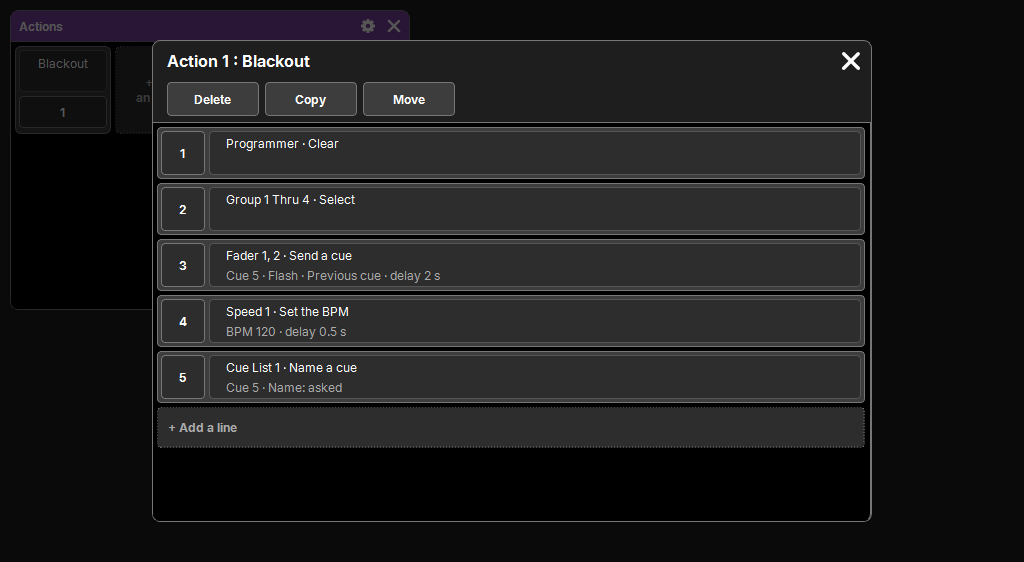
- A tap on an Action runs it. A new Action is empty.
- A long press opens its settings.
- + Add an Action creates a new one; its name is typed in its tile.
- Delete, Copy, Move: the common pool sequence (see Delete, copy, move).
An Action can also be run from a DMX Input line (a channel received, see DMX Input), a Timecode line (see Timecode), or another Action.
The lines
The settings popup shows its lines as numbered cards, played in order. Each card summarizes the line on two lines: the object and the action, then its parameters.
- + Add a line creates a new one.
- A tap on a card opens its settings.
- The popup covers the screen area, so sometimes the pad: its Delete, Copy and Move keys are repeated at the top, and do exactly the same as those of the pad.
Building a line
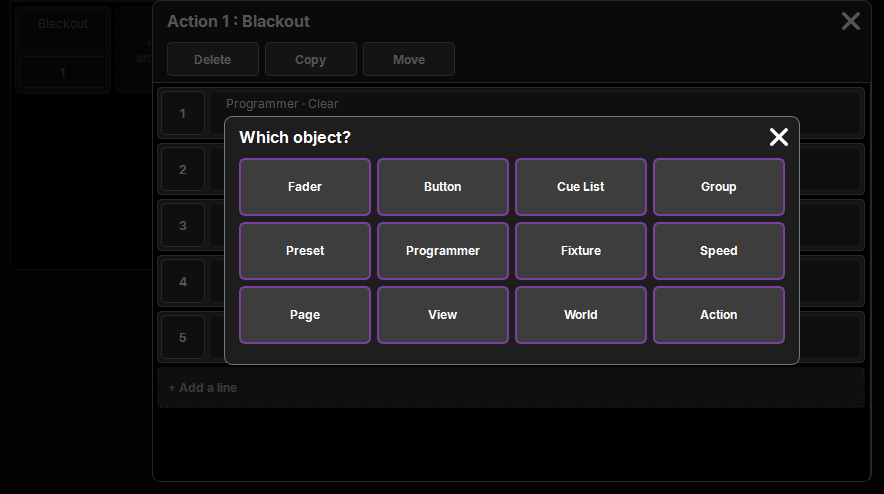
In four steps, with ‹ Back to return to the previous step:
- Which object? — the type of object: Fader, Button, Cue List, Group, Preset, Programmer, Fixture, Speed, Page, View, World, Action.
- Which ones? — one or more objects, as tiles: a tap picks or removes an object, in the order of the taps (the order matters for a fixture selection). Or the Numbers field with the keyboard:
1, 3, 5 thru 8; for fixtures, as on the pad:1, 4.1 thru 403.12. An object that does not exist yet is accepted. For a Fader or a Button, the page is chosen here (empty: the current page at run time); for a Preset, its family. No step for what has no number (Programmer, Page). - Which action? — what the line does (the catalog, below).
- The parameters of the action (a cue, a value, a name…) and the Delay before the line, in seconds (empty: none).
Confirm writes the line, in a single history step; the cross cancels everything. Editing an existing line opens the parameters step directly.
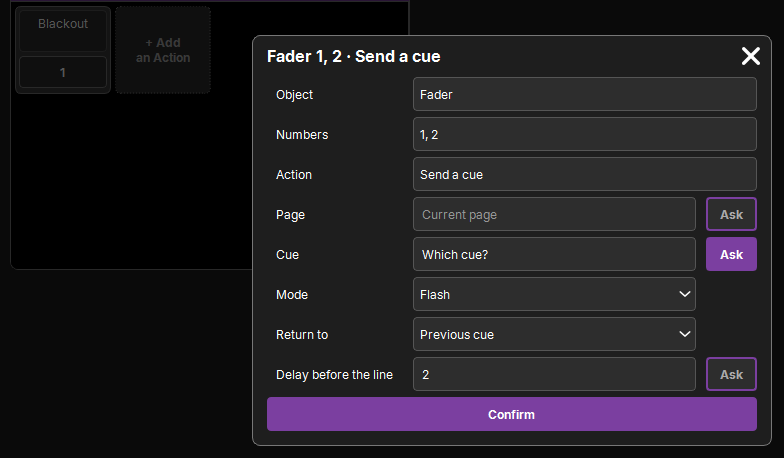
Ask at run time
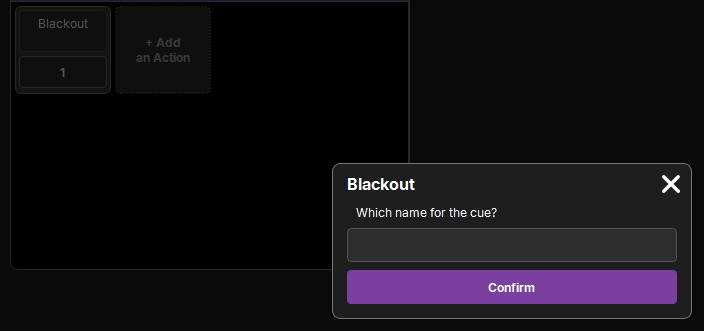
Each number or text of a line, objects included, can be asked at run time, with its question ("Which cue?"). At run time, the Action stops at this line and a popup asks the question on the main screen, even if the Action was started by a DMX Input. The question's cross cancels the rest of the Action.
A "Go to a cue…" Action on Cue List 1 that asks for the number thus makes a "go to any cue" button.
The catalog
| Object | Actions |
|---|---|
| Fader, Button | Press, Release (the slot's button, with its function), Level (Fader only), Go, Go−, Top, Pause, Off, Send a cue (a cue, its Mode Go, Flash, Temp or Toggle, and Return to: Previous cue or Off; a Release line on the same slot brings it back), Store (a new cue, like Store then the button) |
| Cue List | Go, Go−, Top, Pause, Off, Go to a cue, Store a cue (empty: a new one, at the end), Name a cue |
| Group | Select, Add to selection, Off, Store, Name |
| Preset | Recall, Off (what comes from it leaves the programmer), Store, Name |
| Programmer | Clear, Clear all, Set a value (an attribute, a value), Highlight, Solo (on or off), Next fixture, Previous fixture |
| Fixture | Select, Add to selection |
| Speed | Set the BPM, ×2, ÷2, Learn |
| Page | Change page |
| View | Recall |
| World | Activate |
| Action | Run |
Storing from an Action
Store (a cue, a group, a preset) does the same storing as on the pad: a free number creates the object. If it already exists, the If it already exists parameter chooses:
- Ask: the Replace / Merge / Remove popup, as on the pad;
- Replace, Merge or Remove, without asking anything: for an Action run with nobody in front of the screen (DMX Input, Timecode).
Running
- Lines with no delay start together; a line's delay counts from the end of the previous one.
- Several Actions can play at the same time. Running one that is playing again restarts it from the beginning.
- An Action that would run itself, directly or through another, is refused (a message says so): no endless loop.
- The lines are copied at run time: editing an Action that is playing does not change what is running.
- Running an Action does not go into the history; only what a line changes in the show does (Store, Name).