
Images
The Image pool keeps the images used by Layouts: the image of a placed fixture (instead of its square), or the background of a custom Fader or Button square.
The Image window is in the Display category. Images are shown as tiles there: the name, the number, the thumbnail.
Two kinds of images
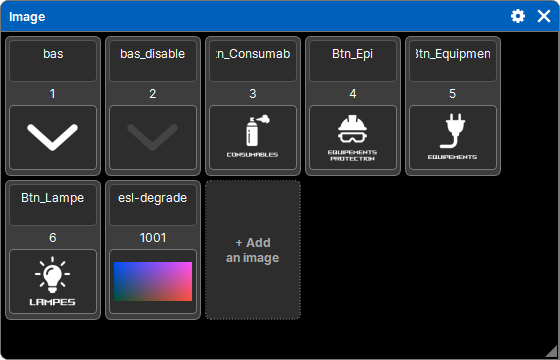
| Kind | Numbers | What you can do with them |
|---|---|---|
| Base images, supplied with the software | from 1 to N, in the order of their names | view them (a tap shows them full size) and copy them into the show; never edit or delete them |
| Show images | after the base images | replace, rename, delete, copy, move them |
Base images are updated with the software; show images are saved in the show file, which stays complete when you move it to another computer.
Adding images
+ Add an image opens the file browser; you can choose several files at once.
- Formats read: PNG, JPG, BMP, SVG and GIF (still image).
- A photo is rotated according to its orientation (the camera's EXIF data), then reduced to 1024 pixels on its longest side: a show does not get weighed down by a 20 MB photo.
- It is kept as PNG if it has transparency, otherwise as JPG.
- An unreadable file is reported in the command line ("Unreadable image: …"); the others are added.
Replacing, renaming, organizing
- A tap on a show image (with no pad key) opens the file browser to replace it: wherever it is used, the new one takes its place.
- Its name is typed directly in its tile.
- Delete, Copy, Move follow the common sequence (see Delete, copy, move). Nothing can arrive on the number of a base image.
Profile images
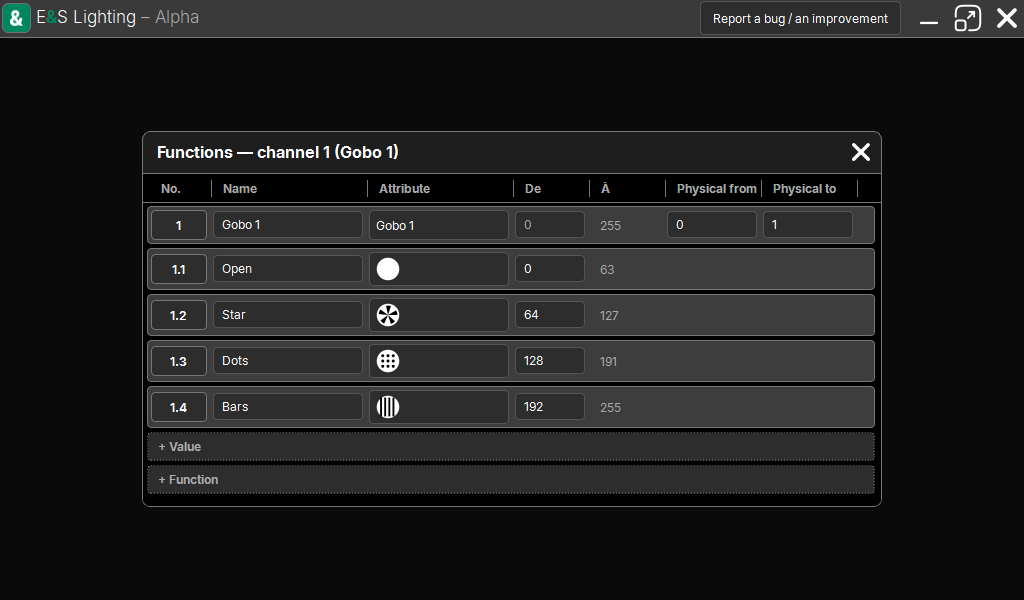
The images of gobo wheels (or animation wheels) are not in this pool: they are stored with the values of the fixture's profile, and are set in the Profiles window. They show in the ready-made values of the Programmer, and in a Layout square with the Automatic appearance.