
GDTF and profile exchange
Profiles are shared in three ways: GDTF files (.gdtf, the manufacturers' open format), the GDTF Share online library, and E&S Lighting .elsf files (to move your profiles from one computer to another). Everything is done from the Profiles window, with the two buttons at the end of the profiles column header.
Export / Import
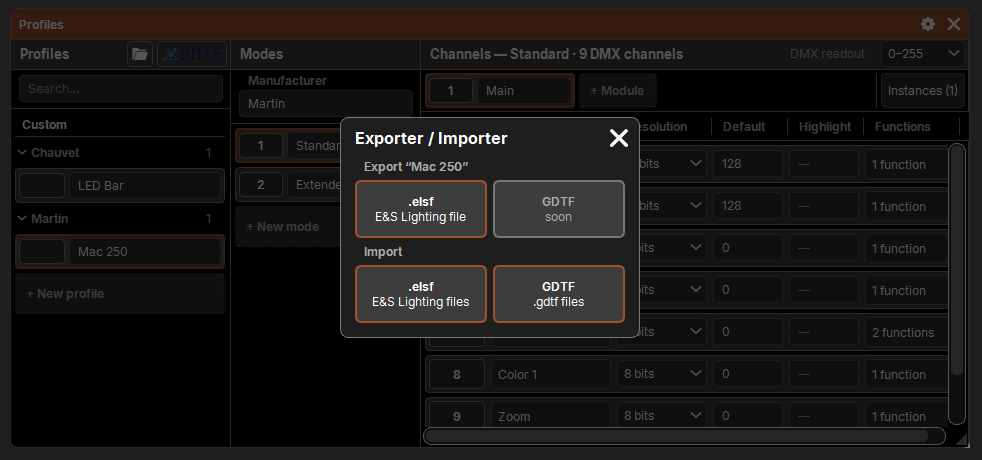
The Export / Import button opens a popup with two categories.
Export
- .elsf (E&S Lighting file): saves the selected profiles, otherwise the profile shown. The file manager opens in
Documents\E&S Lighting\Profils. - A base fixture you have edited is exported in its custom form.
- For many profiles, a popup follows the export ("Export: 120 / 3320"); it can be canceled.
- The result is shown in the command line: "12 profiles exported to …".
- Export to GDTF is not available yet (grayed-out tile).
An .elsf file contains the profiles and the families and attributes they use: it opens as is on another computer.
Import
- .elsf or GDTF: choose one or more files in the file manager. Imported profiles become custom fixtures.
- With more than one file, a popup follows the import: reading the files, then saving. While reading, Cancel (or the cross) stops everything: nothing is imported.
- The first imported profile is shown; the summary is written in the command line: profiles imported, already up to date, old versions kept, errors (unreadable file, unreadable profile…).
- The whole import is a single history entry: Undo reverts all of it, added families and attributes included.
Duplicates and versions
The software compares each imported profile with the library before changing anything; it only saves after the last answer.
| Case | What happens |
|---|---|
| Same GDTF ID, same revision | skipped: already up to date |
| Same GDTF ID, other revision (or unknown revision) | other version question (see below) |
| The same profile twice in the import | error, the second one is ignored |
| No GDTF ID, but same brand and same name | "… already exists" question: Replace (only a custom fixture), Import (the name gets "1", "2"…); the cross cancels the whole import |
Other version
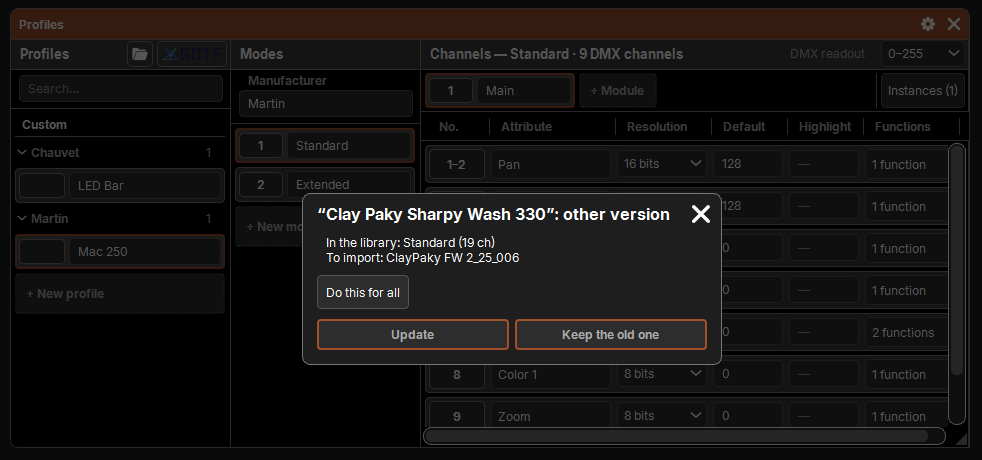
The "Name": other version popup shows both revisions (In the library and To import), then:
- Update: the new revision replaces the custom fixture; a base fixture receives its update, filed under Base in its place;
- Keep the old one: nothing changes for this profile;
- Do this for all: the answer applies to the next ones in this import;
- the cross abandons the import.
What is read from a GDTF file
A .gdtf file is read and turned into a profile, with the same rules as .elsf files:
| In the GDTF | In the profile |
|---|---|
| Manufacturer, Name, FixtureTypeID | manufacturer, name, GDTF ID |
| Official attributes | the library's attributes, in their official family |
| Other attributes | attributes specific to the profile |
| DMXMode | a mode |
| DMXChannel | a channel (its attribute, its bytes, its addresses, its default) |
| ChannelFunction | a function (its start, its attribute) |
| Named ChannelSet | a predefined value |
| Repeated geometries (Head_1 to Head_12…) | a "Cell" module placed once per head: sub-fixtures in the patch |
| Channel with no address that multiplies its geometry | a virtual dimmer |
| Emitters, filters, color space | the profile's Colors (information) |
Not read yet: the second DMX break (DMXBreak 2…), wheels, physical ranges. What is not read is reported in the import summary.
GDTF Share
GDTF Share (gdtf-share.com) is the online library of GDTF files, fed by manufacturers and users. You need an account, free, on their site.
Signing in
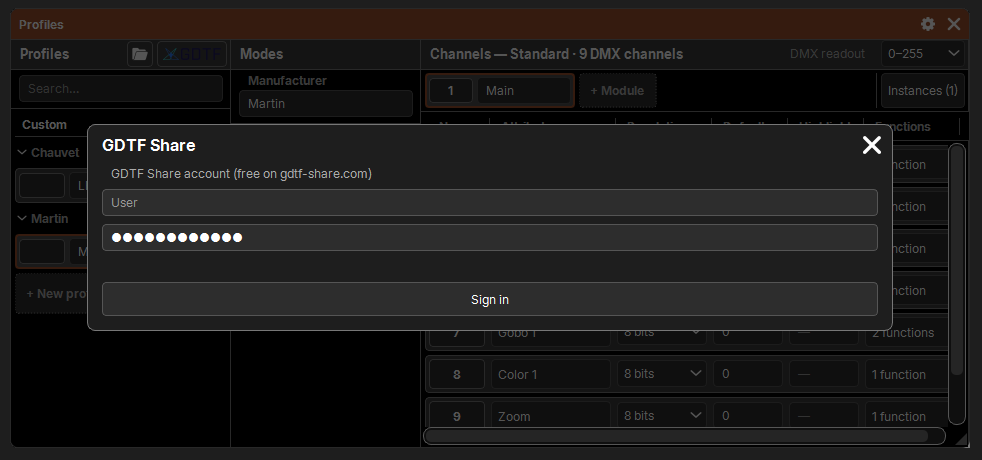
The GDTF Share button opens the popup. Enter your GDTF Share User and Password, then Sign in. The user is remembered by the computer; the password goes to the system vault (the Windows Credential Manager), never into a database.
Choosing and importing
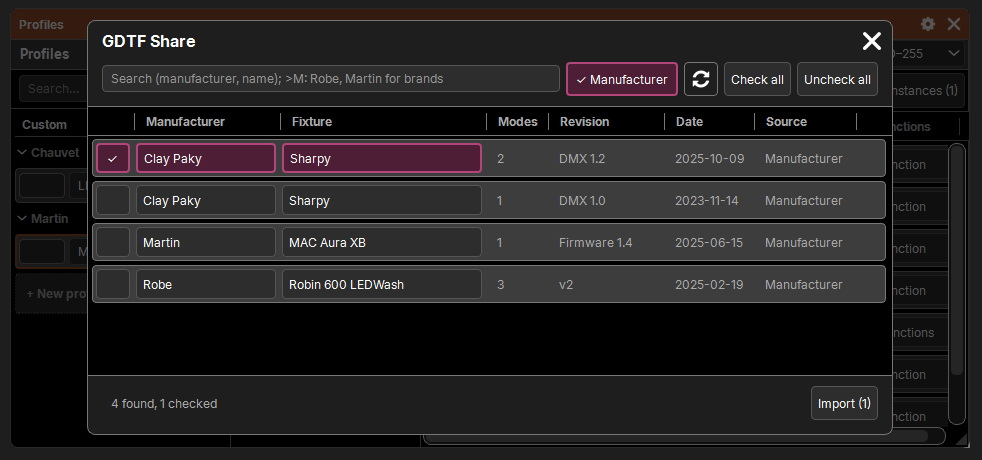
Once signed in, the list of all GDTF Share fixtures loads (it is kept for the session; the arrows button, Refresh the list, reads it again).
- Search: in the manufacturer or the name.
>M: Robe, Martinrestricts to brands ("Robe" also finds "Robe Lighting"). - Manufacturer (checked at first): only the files uploaded by the manufacturer itself, the most reliable.
- One card per revision, from newest to oldest: manufacturer, fixture, modes, revision, date, source (Manufacturer or User). Check the ones to import.
- Check all / Uncheck all: what the search shows.
- Import (N):
- the checked revisions are compared with the library before any download: those already up to date are skipped, another version asks Update / Keep the old one; a fixture checked twice, only the newest counts;
- only new ones and updates are downloaded ("Download: 12 / 40"); the button becomes Cancel;
- then imported, like files.
Downloaded files stay in Documents\E&S Lighting\GDTF. Closing the popup while signing in or downloading abandons the rest.